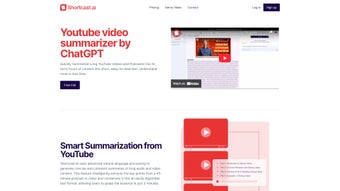

Download ShortCast – AI‑Powered Audio & Video Summarizer
Overview of ShortCast – AI‑Powered Summarization
ShortCast is a next‑generation AI summarization tool that turns long‑form audio and video content into short, digestible text and audio summaries. Whether you are a researcher trying to skim through a 60‑minute webinar, a marketer needing quick insights from a weekly podcast, or a student looking to capture the main points of a lecture on YouTube, ShortCast offers a reliable, secure, and fast solution. Powered by cutting‑edge natural language processing (NLP) models, the platform analyses the spoken words, identifies key themes, and generates a concise summary that preserves the original meaning while cutting down the consumption time by up to 90 %.
The tool also supports multiple languages, making it a versatile companion for global audiences. In addition to plain text summaries, ShortCast can produce audio summaries, allowing you to listen to a 3‑minute recap of a 45‑minute episode while on the go. A standout feature is the Deep Dive Assistant – an interactive AI chat that lets you ask follow‑up questions about any part of the original content, delivering deeper explanations without the need to re‑watch or re‑listen.
ShortCast offers a free monthly trial, after which users can upgrade to a paid plan with secure payment processing. The service is cloud‑based, meaning there is no heavy software to install, yet a lightweight desktop extension is available for Windows, macOS, Android, and iOS to streamline the workflow. Overall, ShortCast aims to empower knowledge workers, educators, and content enthusiasts by turning information overload into actionable insights.
Key Features that Make ShortCast Stand Out
- AI‑Driven Text Summaries: Converts up to 2‑hour videos or podcasts into a readable summary of 3‑5 minutes.
- Audio Summaries: Generates a short audio clip that reads the summary aloud, perfect for multitasking.
- Deep Dive Assistant: An interactive chat that answers specific questions about the source material, leveraging the same AI engine.
- Multi‑Language Support: Summarizes content in English, Spanish, French, German, Mandarin, and more.
- Secure Cloud Processing: All media files are encrypted during upload and processing, complying with GDPR and CCPA.
- Free Monthly Trial: Users can generate up to 5 summaries per month at no cost before deciding on a subscription.
- Cross‑Platform Availability: Desktop extensions for Windows & macOS, mobile apps for Android & iOS, and a web dashboard.
- Export Options: Summaries can be exported as PDF, TXT, or MP3 files for easy sharing.
- Integration Hooks: API endpoints allow developers to embed summarization into their own workflows.
- Smart Highlighting: Key phrases from the original content are highlighted within the summary for quick reference.
Step‑by‑Step Installation and Usage Guide
Getting started with ShortCast is intentionally straightforward, whether you prefer a browser‑based approach or a native desktop app. Follow these steps to begin summarizing your favorite audio and video content:
1. Create Your Account
Visit shortcast.io and click “Sign Up.” You can register using an email address or link a Google, Apple, or Microsoft account for faster onboarding. After confirming your email, you will automatically receive the free monthly trial credit, which allows you to generate up to five summaries without entering payment details.
2. Choose Your Platform
Web Dashboard (no install): Log in from any browser, paste a YouTube URL, upload an MP3, or provide a direct link to a podcast feed. The dashboard will guide you through the summarization options.
Desktop Extension (Windows/macOS): Download the installer from the “Downloads” section of your account page. Run the .exe (Windows) or .dmg (macOS) file and follow the on‑screen prompts. The extension adds a “ShortCast” button to your browser toolbar, enabling one‑click summarization of any open video page.
Mobile Apps (Android/iOS): Search “ShortCast” in Google Play Store or Apple App Store, install, and sign in with the same credentials used for the web version.
3. Summarize Content
After logging in, select the type of summary you need: Text or Audio. Paste the video URL, upload an audio file, or drag‑and‑drop the media into the designated area. Choose the desired language and summary length (e.g., 3‑minute, 5‑minute). Click “Generate,” and the AI engine begins processing. Most summaries are ready within 30‑90 seconds, depending on source length and server load.
4. Use the Deep Dive Assistant
Once the summary appears, a chat icon will be visible. Click it to ask follow‑up questions like “What were the main statistics mentioned at 12:34?” or “Explain the concept of ‘zero‑knowledge proof’ discussed in the video.” The assistant responds in real time, pulling directly from the original transcript.
5. Export and Share
Export options appear under the summary pane. Choose PDF for a printable version, TXT for plain text, or MP3 for an audio recap. You can also share a private link directly with teammates or post the summary to Slack, Teams, or email via built‑in integrations.
That’s it! ShortCast’s workflow is designed to be frictionless, so you can focus on absorbing information rather than wrestling with technology.
Compatibility, Pros, and Cons
ShortCast is a cloud‑first service, meaning the heavy AI processing happens on secure servers. Nonetheless, native clients are available for the most common operating systems:
- Windows 10/11 (64‑bit) – Desktop extension with toolbar integration.
- macOS 11+ (Big Sur, Monterey, Ventura) – Native .dmg installer.
- Android 8.0+ (Oreo) – Google Play app with push notifications.
- iOS 13+ (iPhone & iPad) – App Store version with offline playback of summaries.
- Web Browsers – Chrome, Edge, Firefox, Safari – no installation required.
Pros
- Time‑Saving: Reduces hours of listening/watching to minutes.
- High Accuracy: Uses state‑of‑the‑art NLP models fine‑tuned for spoken language.
- Multilingual: Supports 12+ languages out of the box.
- Interactive Deep Dive: Allows granular queries without re‑processing the entire file.
- Secure & Private: End‑to‑end encryption and GDPR compliance.
- Flexible Export: PDF, TXT, MP3, and shareable links.
- Free Trial: No credit card required for the initial five summaries.
Cons
- Internet Dependency: Requires an active connection; offline summarization not supported.
- Subscription Cost: After the trial, plans start at $9.99/month, which may be high for occasional users.
- Processing Time for Very Long Files: Summaries of >3‑hour content may take up to 3 minutes.
- Limited Customization: Users cannot adjust the summarization algorithm’s bias or tone.
- Audio Quality Impact: Poor source audio may affect transcript accuracy.
Frequently Asked Questions
How does ShortCast generate summaries from video content?
ShortCast first extracts the audio track from the video, then uses a speech‑to‑text engine to create a transcript. The transcript is fed into a transformer‑based summarization model that identifies key sentences, concepts, and statistics. Finally, the system condenses the selected content into a short, coherent paragraph or an audio narration.
Can I summarize content that is not publicly available, such as a private webinar?
Yes. ShortCast accepts uploaded audio or video files in MP4, MP3, WAV, and other common formats. As long as you have the file on your device, you can upload it directly through the web dashboard or desktop client, and the service will process it securely without publishing it.
Is there a limit to how many minutes of content I can summarize per month on the free trial?
The free trial provides five summary credits, regardless of duration. Each credit can be used for a single video or audio file, even if the source is several hours long. After the credits are exhausted, you’ll need to upgrade to a paid plan to continue using the service.
What languages does ShortCast support for summarization?
ShortCast currently supports English, Spanish, French, German, Italian, Portuguese, Dutch, Russian, Mandarin Chinese, Japanese, Korean, and Arabic. New languages are added regularly based on user demand and model improvements.
How secure is my data during the summarization process?
All uploads are encrypted with TLS 1.3 during transmission and stored temporarily in encrypted storage. Files are automatically deleted from the servers after the summarization is complete. ShortCast complies with GDPR, CCPA, and ISO‑27001 standards, ensuring your data remains private.
Conclusion – Why You Should Download ShortCast Today
In an era where information overload threatens productivity, ShortCast emerges as a practical, AI‑driven ally. Its ability to turn hours of audio or video into concise, actionable summaries saves time, boosts comprehension, and supports multilingual workflows. The Deep Dive Assistant adds a layer of interactivity that turns a static summary into a dynamic learning experience. While a subscription is required for heavy users, the free monthly trial lets you test the core capabilities without commitment. Whether you are a content creator wanting to repurpose material, a student hunting for lecture highlights, or a professional staying up‑to‑date with industry podcasts, ShortCast delivers a secure, fast, and user‑friendly experience across Windows, macOS, Android, and iOS.
Ready to reclaim hours of wasted listening? Download ShortCast now and start generating summaries that fit into your schedule. Experience the future of content consumption—quick, accurate, and always at your fingertips.



.png)



